

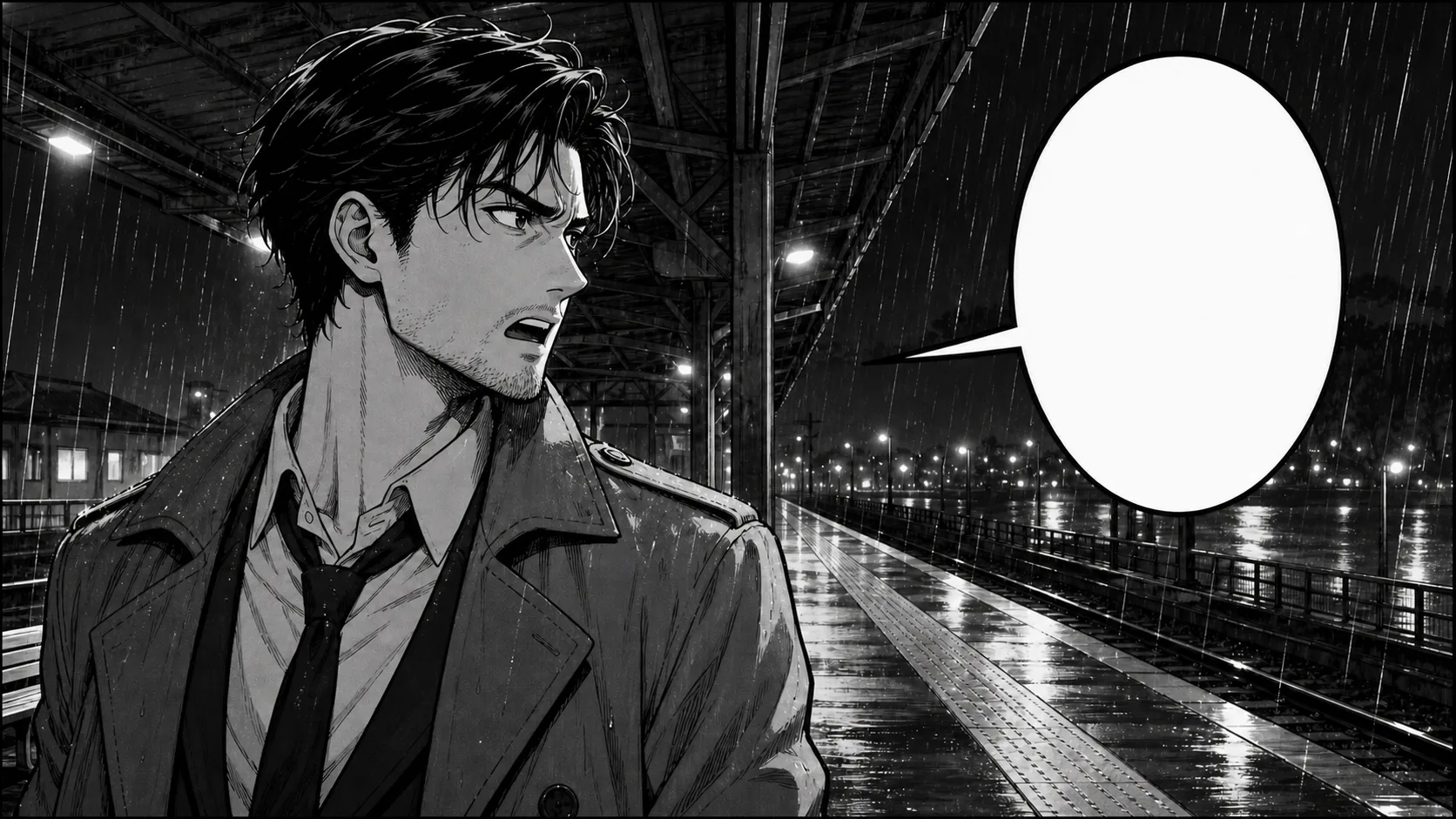
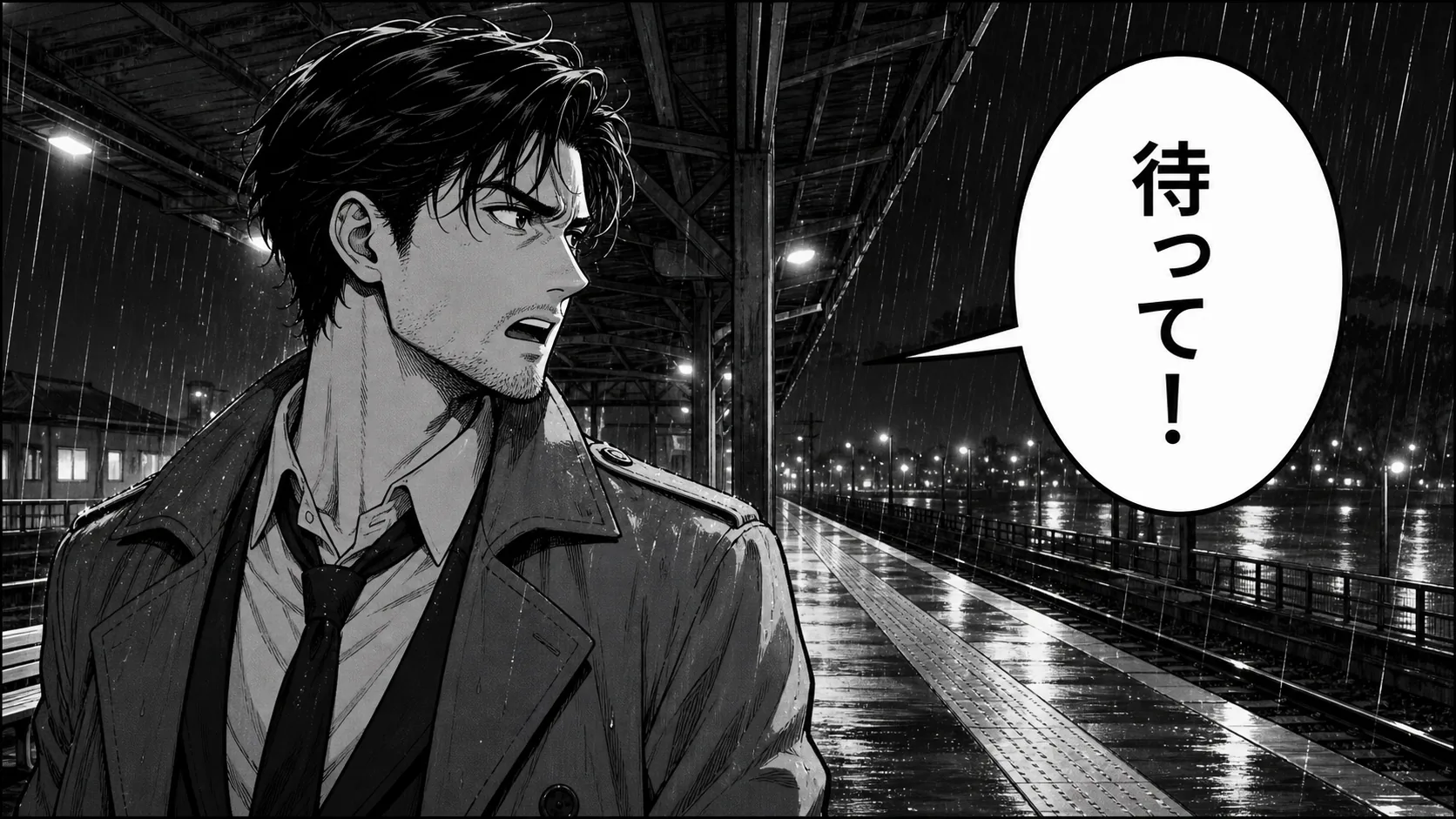
OriginalCleaned
Dialogue inside a white speech bubble
The lettering is removed while the bubble outline and tail remain intact.
Comic and manga text remover
Upload a comic or manga image, choose whether to keep or remove speech bubbles and text boxes, then let RemoveTextPro clean the lettering and rebuild the artwork.
Read the detailed comic and manga text removal guideSee the cleanup first
Drag the slider to compare the original and cleaned image.
JPG, PNG or WebP · up to 10 MB
Upload a manga page, choose whether to keep or remove its bubbles and text boxes, then let AI clean the page.
These original fictional panels show four cleanup challenges: monochrome and color speech bubbles, a bordered caption box, and lettering over detailed line art.
The lettering is removed while the bubble outline and tail remain intact.
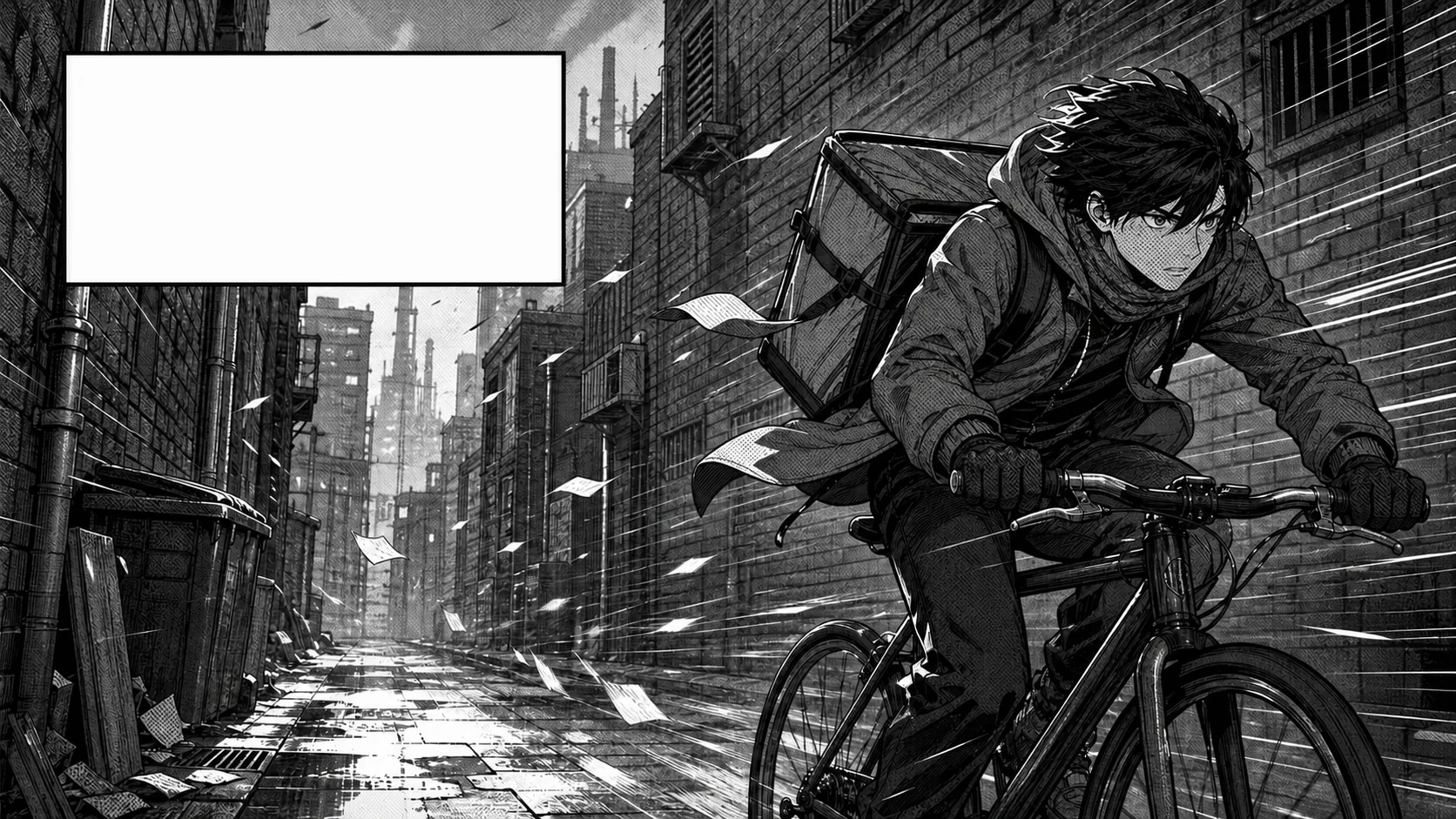
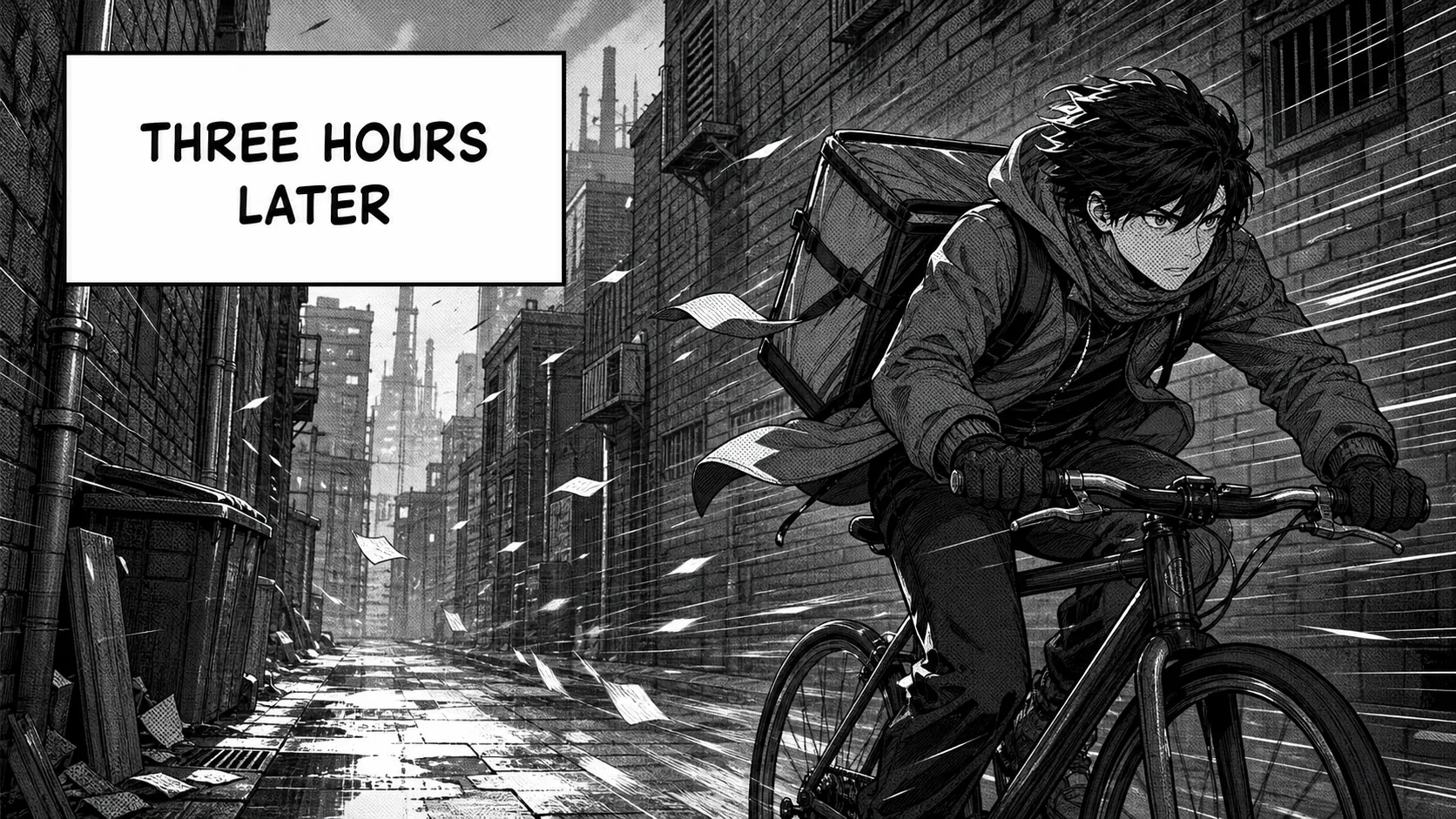
The lettering is cleared while the straight box border and screentone pattern remain available for review.
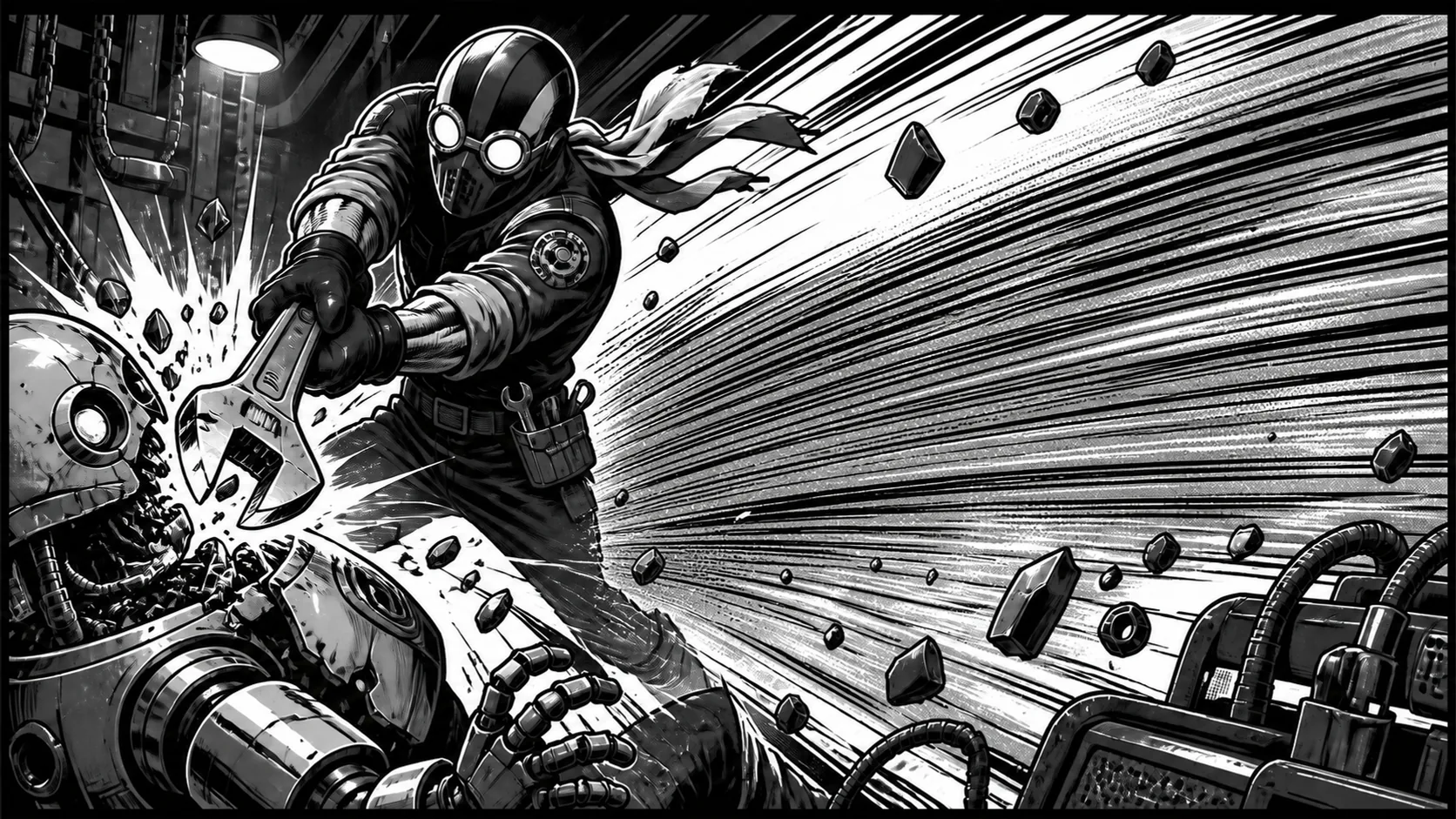
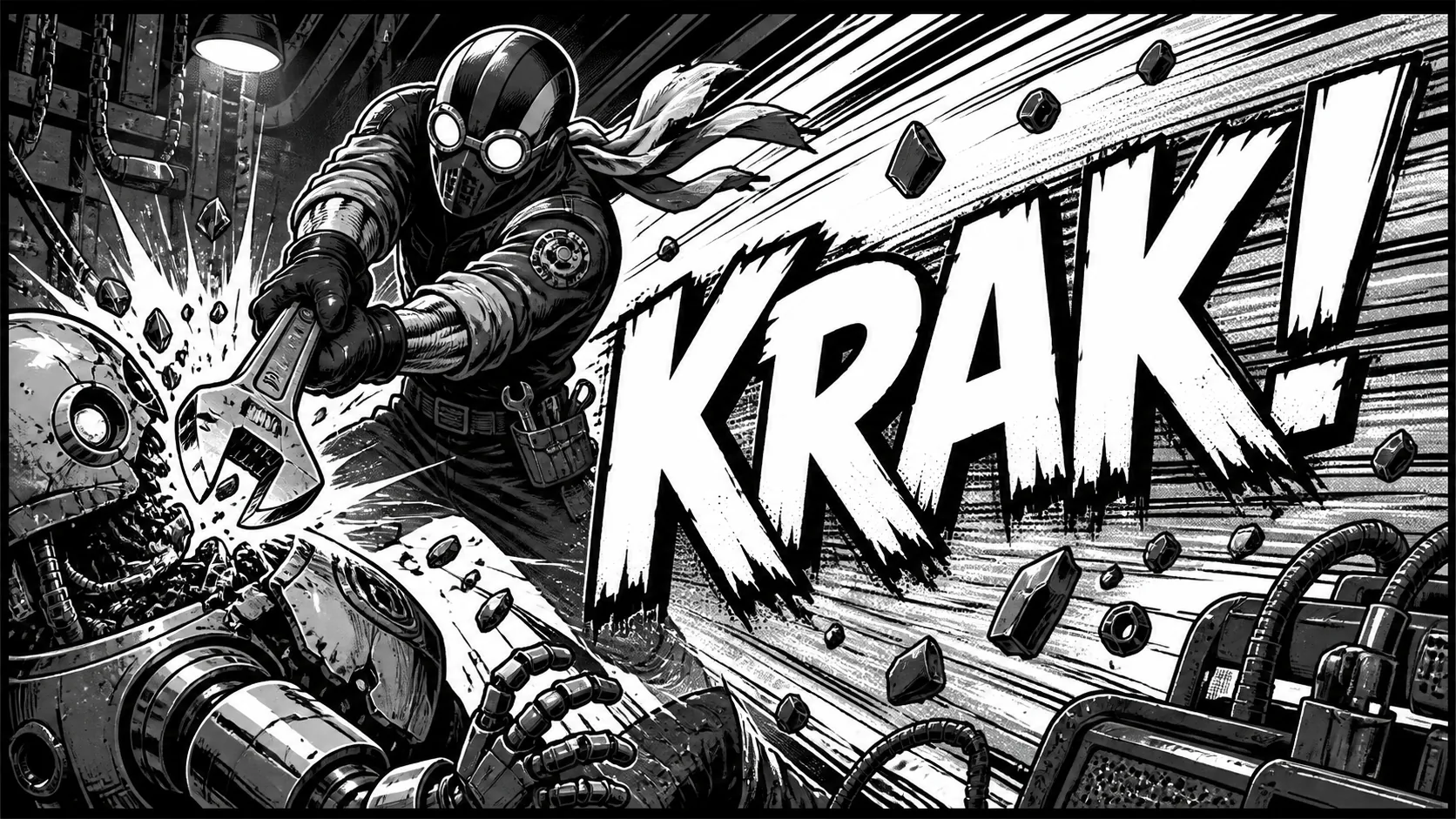
Large stylized lettering covers more hidden artwork. Treat the result as a draft, inspect the speed lines, and retry in smaller sections when needed.
In short
Choose whether to keep or remove the speech bubbles, caption boxes, and other text boxes. The default keeps them and removes the lettering, while the broader option creates a clean page for new typesetting.
Comic lettering can sit inside a clean bubble, inside a bordered caption, or directly on top of faces, speed lines, and textured screentones. Each placement gives the editor a different amount of visual context.
The keep-bubbles option preserves speech bubbles, caption boxes, panel borders, and nearby line art. The remove-bubbles option asks the model to rebuild a larger area, so inspect complex panels carefully.
Use an original, licensed, commissioned, or otherwise authorized image. The cleanup creates a plausible visual replacement; it does not recover the exact pixels hidden behind the lettering.
Three-step workflow
Use one continuous workflow: upload a copy, mark only the text, and inspect the rebuilt area before saving.
Choose a high-resolution JPG, PNG, or WebP you own or are allowed to edit, and keep the untouched source separately.

Choose whether to keep or remove speech bubbles, caption boxes, and other text boxes. No manual selection is needed.
Check line art, bubbles, borders, and screentones at 100%. If the panel is complex, treat the result as a draft and retry with the other scope.
Where precise cleanup helps
The same editor can handle several kinds of visible text when you keep the selection focused and review the result.
Remove words inside a white or lightly textured bubble while preserving its outline and tail.
Clear short narration from a bordered box and inspect every straight edge afterward.
Clean vertical Japanese lettering while reviewing the nearby bubble edges and line art.
Clean stylized SFX or in-scene signs carefully when you have the right to edit the artwork.
Tips for cleaner edits
A few deliberate choices give the model better context and make the result easier to review.
The default scope removes lettering while preserving speech bubbles, caption boxes, tails, and borders.
Removing a bubble or caption box rebuilds more hidden artwork, so use that scope when you need a clean base for new typesetting.
Zoom in for repeated dots, hatching, or gradients that look blurred or change direction after processing.
Save a clean base first, then add translated dialogue with your own layout and font tools.
Honest limitations
AI reconstructs selected pixels from nearby visual context. It does not recover the original pixels hidden behind text.
The default scope removes the words while leaving speech bubbles, caption boxes, and text-box borders in place.
Large SFX over faces or dense drawing may need smaller passes and manual touch-up; the original pixels are not recoverable.
Only upload original, licensed, commissioned, or otherwise authorized comic and manga images.
FAQ
Practical answers about bubbles, Japanese text, sound effects, translation, and image rights.
Yes. Choose the default scope to remove lettering while keeping speech bubbles, caption boxes, and text-box borders. Choose the broader scope when you also want those boxes removed; it reconstructs more hidden artwork and is less predictable on complex panels.
Yes. RunningHub can process visible vertical lettering as part of the manga page. Review nearby bubble edges, borders, and line art after processing.
Yes. Large SFX often cover complex artwork, so inspect speed lines, textures, and character contours closely after processing.
The keep-bubbles scope is designed to preserve the bubbles and surrounding artwork, while the remove-bubbles scope rebuilds a larger area. Fine line art and repeated screentones still need a close review.
If you are authorized to localize the artwork, the cleaned result can be used as a draft base. Translation, proofreading, font choice, and typesetting are separate steps.
You can upload JPG, PNG, or WebP images up to 10 MB. A high-resolution source gives you more detail to inspect after cleanup.
No. Upload only images you created, licensed, commissioned, or have explicit permission to edit. Removing visible lettering does not grant new rights to the underlying artwork.
Related tools and guides
Read a careful workflow for speech bubbles, line art, and screentones.
View guideCreate a clean authorized base before adding translated text in a separate layout step.
View guideLearn how cleanup scope changes the amount of artwork the model needs to rebuild.
View guideUpload an authorized panel, choose whether to keep or remove its bubbles and text boxes, and review the rebuilt line art before downloading.