

OriginalCleaned
Dates on family snapshots
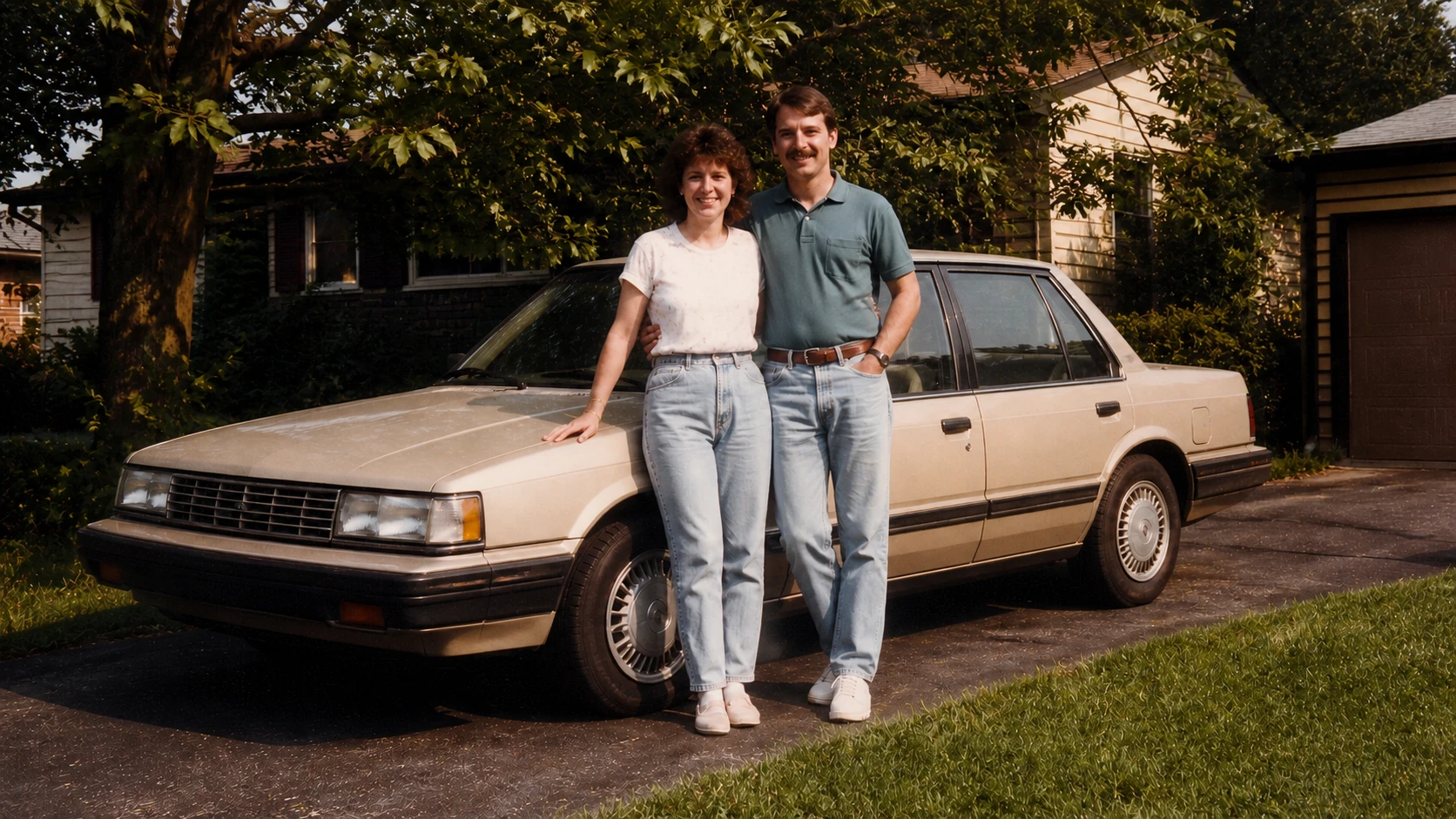
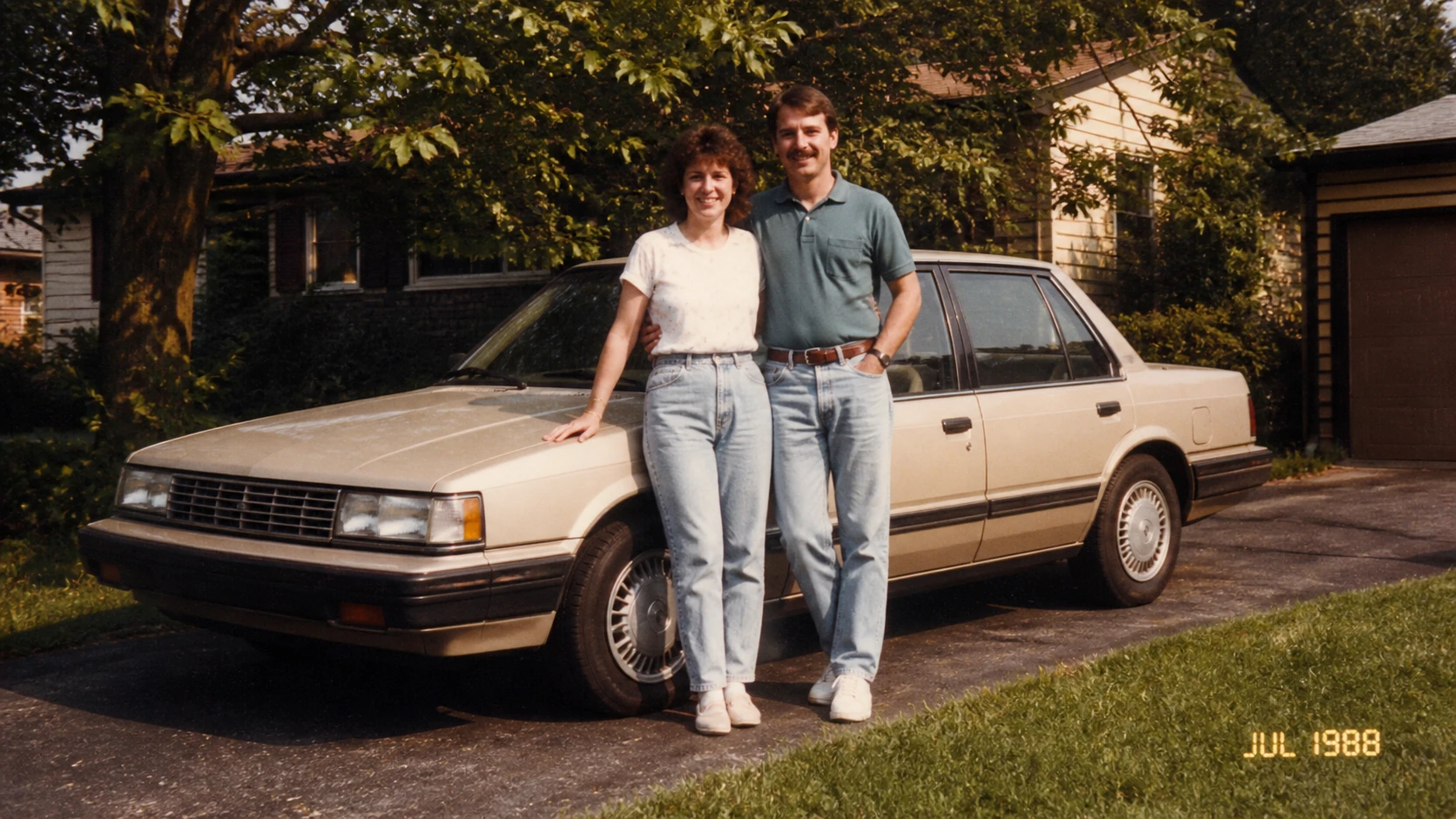
Remove a vintage camera date without changing the people, car, or driveway.
Date stamp cleanup
Upload a photo with a visible date stamp, brush over the digits and separators, then review the rebuilt corner before downloading. RemoveTextPro keeps the original framing and is designed for photos you own or are authorized to edit.
See the cleanup first
Drag the slider to compare the original and cleaned image.


JPG, PNG or WebP · up to 10 MB
Upload an image, mark the text, and rebuild only the area you select.
The most common case is a small orange date near the edge of an old camera photo. Compare the before and after, then use a similarly tight selection.
Remove a vintage camera date without changing the people, car, or driveway.


Clean a corner date stamp while keeping footprints, sand, and sunset light natural.


Clear a corner timestamp while preserving wet pavement, bicycle reflections, and street lights.
In short
Upload the photo, cover the complete visible stamp, and inspect the rebuilt corner before downloading. This edits visible pixels, not EXIF metadata; use the guide if you need to decide between metadata editing, cropping, and local repair.
Use the editor when the date is visible in the image and you need a clean display copy without changing the full canvas.
Mark only the digits, separators, shadow, and glow; the tool rebuilds the selected area from nearby pixels.
Upload a high-quality copy, review the corner at full size, and keep the untouched original for records.
Three careful steps
Use one continuous workflow: upload a copy, mark only the text, and inspect the rebuilt area before saving.
Use a JPG, PNG, or WebP copy of the image with the visible date stamp.

Include separators, shadows, and the full height of the date without selecting unrelated detail.

Check that the edge and nearby texture look natural, then download the result. Your first two successful removals each day are free.

Where precise cleanup helps
The same editor can handle several kinds of visible text when you keep the selection focused and review the result.
Prepare a clean display copy while keeping the untouched scan and its historical context.
Remove orange, red, or white camera dates placed near an otherwise simple corner.
Clean a timestamp from an authorized still image when the time itself is not needed in the presentation copy.
Create a cleaner album version without cropping landmarks or people near the edge.
Tips for cleaner edits
A few deliberate choices give the model better context and make the result easier to review.
Date stamps are usually easier to rebuild when the mask follows the digits instead of covering a whole corner.
Dots, slashes, colons, and faint shadows can leave visible fragments if they sit outside the selection.
Work from the least-compressed copy available so the editor has clearer nearby texture to reference.
Save the original file separately so the capture date and untouched visual record remain available.
Honest limitations
AI reconstructs selected pixels from nearby visual context. It does not recover the original pixels hidden behind text.
Best for visible dates, times, GPS labels, and short corner overlays.
Complex foliage, repeated patterns, and large stamps need a careful result review.
Use it only on photos you own or are authorized to edit.
FAQ
Answers about selection, supported files, free attempts, and result review.
Upload a photo with a visible date stamp, brush over every digit and separator, then review the rebuilt corner before downloading.
Yes. Select the complete visible stamp, including its glow or shadow, while leaving nearby background outside the selection whenever possible.
The result keeps the original image dimensions and aspect ratio. Review the rebuilt area because fine detail near the selection can change.
Detailed backgrounds are harder to rebuild. Use the smallest practical selection, and inspect the result before saving or publishing.
JPG, PNG, and WebP images up to 10 MB are supported.
Your first two successful removals each day are free. You can review the result before deciding whether to download it.
Related tools and guides
Handle captions, labels, and other short text overlays with the same precise workflow.
View guideCompare visible-pixel repair with EXIF editing, cropping, and careful original-file handling.
View guideUse the editor for handwritten notes, labels, and other visible writing you can edit.
View guideUpload the photo, cover the complete visible stamp, and inspect the rebuilt corner before downloading. This edits visible pixels, not EXIF metadata; use the guide if you need to decide between metadata editing, cropping, and local repair.